











 ChatGPT
 Claude
 Grok
 Perplexity
 Gemini
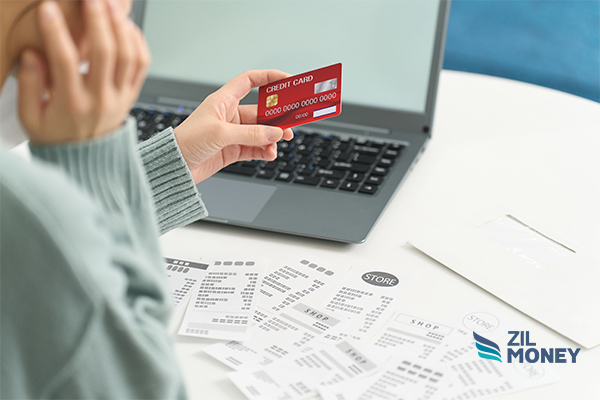
Clinic owners can use credit cards to pay clinic bills from suppliers, even when a supplier does not accept cards. With ZIL MONEY, a business credit card funds the payment, and the supplier receives it by a method such as ACH. You can pay supplier bills by card and keep the invoice details with each payment. This guide covers clinic supplier bills, not patient medical bills.
Let’s consider the example of a weight loss clinic.
Managing finances is an important part of running a weight loss clinic. A clinic needs to track supplier bills and choose how to pay them. For a wider look at payments in healthcare, see how ZIL MONEY works for medical practices.
Start with the clinic’s supplier bills and the details needed for each payment.
See a card-funded supplier payment
Clinic supplier bills to check
A weight loss clinic may have to pay for multiple bills such as medical supplies, equipment, rent, utilities, etc. Revenue can also change from month to month, so review each bill before you pay it, and keep it organized with bill payments in ZIL MONEY.
| Clinic bill type | What to check | Memo or record detail |
|---|---|---|
| Medical supplies | Supplier, items, quantities, and total. | Invoice number and a supply or order note. |
| Equipment | Supplier, equipment or order, and total. | Invoice number and an equipment note. |
| Lab services | Supplier, service invoice, and total. | Invoice number and a short service note. |
| Rent | Payee, property, period, and amount. | Property and rental period. |
| Utilities | Supplier, account reference, period, and amount. | Invoice or account reference and bill period. |
Some suppliers do not accept credit cards. That does not have to stop your clinic from funding the payment with a business card.
How your supplier receives the payment
Here, the platform acts as an intermediary between you and your payee. You choose Credit Card as the source, and the supplier receives the money by the payout method you choose, such as ACH / Direct Deposit, wire, or virtual card. Your supplier does not need to accept cards.
Add the supplier’s invoice number and a memo to each payment. Then open Payments Out to review the payee, amount, memo, reference ID, and status, and match each payment to its bill.
Pay a clinic supplier with a business credit card
Use Send Payment to fund a supplier payment with your business credit card:
- Amount and source: Enter the amount. In Pay from, choose Credit Card, select your card, and follow the card verification prompts.
- Supplier and bill: Choose the supplier and how they will receive the money. Add the invoice number and memo.
- Review and record: Use the invoice upload prompt for the supplier’s bill and follow the card-use authorization and signature prompts. Then review the payment in Payments Out.
Card payments need your authorization each time, so they cannot be set to recur. For a step-by-step walkthrough, see how to pay an invoice with a credit card.
Virtual card payments for clinic suppliers
A virtual card is a supplier payout choice, separate from the business credit card that funds a payment. You can issue a virtual card in ZIL MONEY and pick where its money comes from. To give each supplier its own card, see virtual cards for healthcare vendor payments.
ACH for clinic supplier payments
ACH is a common way to pay suppliers. With ZIL MONEY, a supplier can receive a card-funded payment by ACH / Direct Deposit. ACH payments move through the ACH network, which is governed by Nacha. Recurring payments can be set up from bank accounts or wallets, but not for credit card transactions.
Check payments for clinic suppliers
Check payments are another way to pay a supplier through ZIL MONEY. Ask support which payout methods are available for card-funded payments on your account.
Keep clinic bills and payments connected
Use ZIL MONEY to pay clinic suppliers and keep invoice details with each payment. A business credit card funds the payment, your supplier receives it by the method you choose, and Payments Out keeps the record.
Frequently asked questions
Are clinic supplier bills the same as patient medical bills?
No. Supplier bills are amounts the clinic owes for goods or services. Patient medical bills are amounts a patient owes the clinic. For the clinic, the task is to match each supplier bill to an outgoing payment record.
What should I check on a medical-supply bill?
Check the supplier, items, quantities, and bill total. Match the invoice to the supplies the clinic ordered. Use the supplier’s invoice number and a short memo so you can identify the bill when you review the payment record.
How should I label an equipment payment?
Use the supplier’s invoice number and a memo that names the equipment or order. Keep the invoice with the payment record. A clear note helps the clinic tell an equipment purchase apart from a supply order or a service bill.
What should I check before paying a lab supplier?
Check the lab’s business invoice and the amount the clinic owes. Match the supplier and invoice number before you pay. Use a short memo for the service bill. Then review the payee, amount, and status in the payment record.
Who should review a clinic equipment bill?
The person responsible for the clinic’s supplier bills should review the supplier, invoice, and amount. ZIL MONEY supports payment approval steps and user roles. Set up the review process for your clinic. Card-use authorization is separate from a staff approval.
How should a clinic organize rent and utility bill records?
Use a separate bill reference and memo for rent and each utility. Note the period or invoice number for the bill. Keep these records apart from supply and equipment bills so your clinic can match each payment to what it covers.
What records help when clinic supplier bills build up?
Keep the supplier, bill total, invoice number, and memo together. Compare a bill with past payment records before you pay it. In Payments Out, you can review each payee, amount, memo, and status. Use those details to check the clinic’s outgoing payments.