











 ChatGPT
 Claude
 Grok
 Perplexity
 Gemini
Yes, you can pay an invoice with a credit card, even if your vendor does not accept cards. ZIL MONEY lets your business pay a vendor invoice with a credit card: your card funds the payment, and your vendor receives it by a method such as ACH. Add the invoice number so you know which bill each payment covers.
Open invoices can pile up, especially near year end. This guide shows how to pay an invoice with a credit card in ZIL MONEY, what to check before you confirm, and how to keep each invoice matched to its payment record.
See how a vendor invoice is paid by card
How to pay an invoice with a credit card
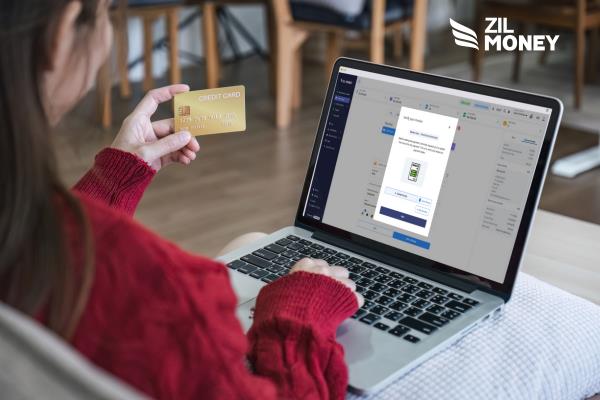
Paying by credit card means using a credit card to settle payments for goods, services, or outstanding bills. In ZIL MONEY, your card is the funding source, and your vendor gets paid by the payout method you choose. Here is how the card payment works:
- Open Send Payment and enter the invoice amount.
- Choose Credit Card in Pay from, select your card, and follow the card prompts.
- Select the vendor and how the vendor will receive the payment.
- Add a memo and the invoice number, then review the payment details.
- Follow the invoice and authorization prompts, then choose Authorize & Send.
- Open View Payment and review the record in Payments Out.
The screens may vary slightly by account. Each credit card payment needs your authorization, so card payments cannot be set to recur.
Keep control of your invoice payments
Choose Credit Card as the source for the invoice payment. Then decide how the vendor receives the money, and add the invoice details before you confirm.
Choose the source for each invoice: Depending on how your account is set up, you can pay from a bank account, your Zil wallet, or a credit card. Choosing a credit card lets you pay a vendor who does not accept cards, because the vendor receives the money by a method such as ACH.
Clear open invoices before year end: For example, at the end of the year, managing payroll and vendor payments together can be a struggle. Check which invoices are still open and which already have a payment record. Review the vendor, invoice number, amount, and status before you pay.
Keep invoice records for year end: Keep each vendor invoice with its payment record. Match the invoice number, memo, amount, and status so you can see what was paid and what still needs review.
| Invoice detail | Where it goes | Why it helps |
|---|---|---|
| Vendor | The payee you select | Match the payee to the invoice. |
| Amount | The amount in Send Payment | Match the amount you plan to pay. |
| Invoice number | Invoice Number in the additional details | Keep the vendor’s bill reference with the payment. |
| What it covers | Memo | Add a short note about the payment. |
| Payment record | Payments Out | Review the payee, amount, source, reference ID, and status. |
What your vendor receives
Your vendor does not need to accept cards. Your card funds the payment, and you choose how the vendor receives the money, such as ACH / Direct Deposit or wire transfer. Add the invoice number so you can match the payment to the right bill.
Manage invoice payments away from your desk
Use ZIL MONEY from home, the office, or on your phone. The platform uses encryption and secure sign-in to protect your data. Open Payments Out to see where each invoice payment stands.
Get paid for your own open invoices
Paying vendors is one side of the job. If customers owe your business money, you can use ZIL MONEY for that too. Users can simply send payment links to their clients, allowing them to pay with a credit card. Put a memo and an invoice number on the request, then follow the payment in your account. Learn more about accepting credit card payments.
Keep payroll separate from vendor invoices
Payroll may also be on your year-end payment list. Keep it separate from the vendor invoices you need to pay.
When your provider or payroll team has prepared the run, it shows up in your list in ZIL MONEY, and you can fund a prepared payroll run with a credit card. Ask our team which payroll providers sync with your account.
Pay the invoice and keep the record
Match each vendor invoice to the payment you make with ZIL MONEY. Pay vendor invoices and keep a payment record for each one. Start with the vendor invoice you need to pay.
Frequently asked questions
Can you pay an invoice with a credit card?
Yes. ZIL MONEY lets your business use a credit card to fund a vendor invoice payment. The vendor can receive it by a method such as ACH, even without accepting your card directly. Add an invoice number and memo to connect the payment to the bill.
Where do I put the invoice number?
Add it to Invoice Number in the payment details. You can also add a note in Memo about what the payment covers. Keep the number from the vendor’s invoice so you can match the payment to the right bill when you review your records.
What should I check before I confirm the payment?
Check the vendor, invoice number, amount, funding source, and how the vendor will receive the payment. Compare those details with the invoice you need to pay. Follow the card and invoice prompts, then review the payment details before you authorize it.
Where can I review the invoice payment?
Open Payments Out to review the payment record. It includes the payee, amount, memo, source, reference ID, and status. Use those details with the vendor’s invoice to check which bill the payment covers. Keep the invoice and payment record together for later review.
Can a team member prepare a payment for review?
Yes. ZIL MONEY supports team roles and approval steps for payments. A team member can prepare a payment, and the person with the right role can review it before it goes out. Use the roles and approval steps set up for your business.
What should I check on open invoices before year end?
Check which bills are still open. Some may already have a payment record. Review the vendor, invoice number, amount, and status before you pay. Keep each bill with its payment record so you can see what was paid and what still needs review.
Is paying a vendor invoice the same as collecting a customer invoice?
No. Paying a vendor invoice sends money from your business. Collecting a customer invoice brings money into it. ZIL MONEY payment links let you send your customer a request to pay by card. Keep that customer-payment task separate from the vendor invoice you are paying.