








 ChatGPT
 Claude
 Grok
 Perplexity
 Gemini
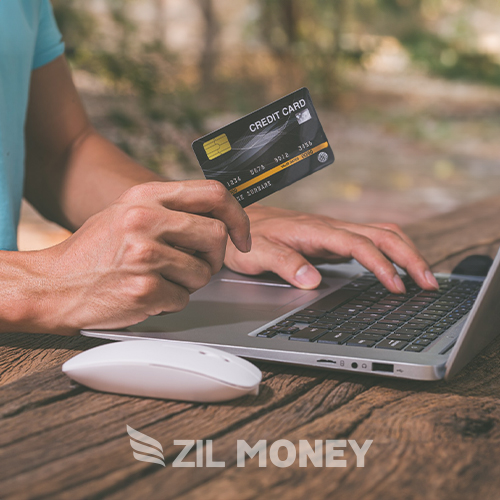
ZIL MONEY lets businesses pay retail rent with a credit card and keep each payment in Payments Out. Add the month or unit to the memo so you can match it to your store’s records.
To pay retail rent with a credit card, check the rent bill and confirm how your landlord will receive the money. Your card funds the rent payment, and you choose how your landlord receives it, such as ACH / Direct Deposit or Wire. Keep the month or unit in the memo to show what the rent payment covers.
Pay rent for your retail space
ZIL MONEY lets you fund rent with a credit card through its card funding option. Choose how your landlord receives the money. You can review ACH transactions in Payments Out. Keep your rent payments in one list, and open Payments Out to see the payee, amount, memo, reference ID, and status of each one.
Check your rent bill against your lease
Check your rent bill against your lease before you fund the payment. Confirm the amount, payee, and month or unit with your landlord. Keep your rent bill and payment record together so you can see what each payment covers.
A retail rent bill can list more than base rent. Check each line before you pay:
| Charge on the bill | What to check | Memo or record detail |
|---|---|---|
| Base rent | Check the amount and payee against the bill and lease. | Month, unit, and the rent label on the bill. |
| Common area charges (CAM) | Ask what the charge covers. Confirm the amount and how you plan to pay it. | Bill reference, period, unit, and charge label. |
| Deposit | Confirm the payee, purpose, amount, and payment type before funding it. | Deposit label, unit, and bill reference. |
| Other lease charges | Check each line item with the landlord, including any percentage rent item. | Charge label, period, unit, and bill reference. |
Before your first retail rent payment
For example, a salon owner renting one unit in a strip center can work through these steps:
- Check the rent bill against your lease. Confirm the landlord, amount, and month or unit.
- Confirm each charge with the landlord. Ask ZIL MONEY about a deposit, CAM, or other charge before funding it by card.
- Confirm how the landlord will receive the money and check the recipient details.
- In Send Payment, enter the amount first. Choose the landlord, then Credit Card and the payout method.
- Add the month or unit to the memo. Review the details and complete any required approval.
- Open Payments Out and keep the reference ID and payment record with the rent bill.
What your landlord receives
Your card funds the payment. Your landlord receives the money by the payout method you choose, such as ACH / Direct Deposit or wire transfers. Confirm the recipient details and the way your landlord wants to be paid. Add the month or unit to the memo to match the payment to your rent bill.
Check the rent bill for your retail space. ZIL MONEY supports credit card payments from your phone’s browser. Keep the month or unit with the payment so you can review it in Payments Out.
Frequently asked questions
How do I pay retail rent with a credit card?
Use ZIL MONEY to fund the rent payment with a card and choose how your landlord receives it. Check the rent bill for your retail space first. Add the month or unit to the memo, then keep the payment record with the bill.
How does my landlord receive the rent payment?
Your landlord receives the money by the payout method you choose, such as ACH / Direct Deposit or Wire. Your credit card is the funding source, not the landlord’s payout method. Confirm the recipient details and the way your landlord wants to receive the payment.
What should I put in the rent payment memo?
Put the month or unit in the memo so you can tell what the payment covers. For a shop or salon, use the same month and unit details as the rent bill. Keep that bill with your payment record so you can match them later.
Can retail rent run as an automatic recurring card payment?
No. Credit card payments need your authorization each time, so card payments cannot be set up to recur. Check the rent bill and authorize the card payment when you are ready to pay, then keep the payment record with that bill.
What should I check when the rent bill lists CAM or a deposit?
Check the charge with your landlord before you pay. Match the amount and charge label to the rent bill and lease. Ask ZIL MONEY about the payment type before funding it, and keep each charge clear in your records rather than treating the full bill as base rent.
Can someone on my team prepare rent for approval?
Yes. ZIL MONEY supports team roles and payment approval steps. Decide who prepares the rent payment and who reviews it, and ask support to help set up the approval steps. Check the rent bill, payee, amount, and memo before the payment goes out.
Where do I review a rent payment I sent?
Open Payments Out to review the rent payment. The list includes the payee, amount, memo, reference ID, and status. Match the month or unit in the memo to the rent bill, and keep the reference ID with your records if you need to ask about that payment.
How should I keep rent records for two retail locations?
Use the unit or location detail in each rent payment’s memo. Check each payment against the rent bill for that space. Review the records in Payments Out, then keep them with the right bills so one store’s rent is not confused with another’s.