










 ChatGPT
 Claude
 Grok
 Perplexity
 Gemini
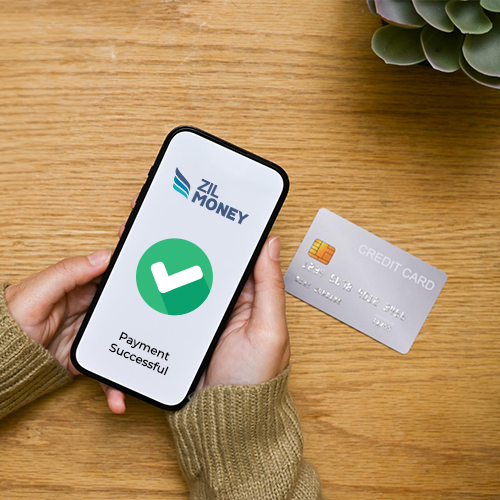
ZIL MONEY lets you pay monthly business rent with a credit card. Your card funds the payment, while you choose how your landlord receives the money. Use a monthly rent routine to check each bill, add the rent month to the memo, and keep a record of each payment.
Set a monthly rent routine
Business rent comes due every month, so the same few checks keep each payment clear. Use this routine to review each month’s rent. It does not set up a recurring card payment: credit card payments need your authorization each time.
Work through these steps each month before you pay rent:
| Step | What to do | What to record |
|---|---|---|
| Check this month’s bill | Review the current rent amount and period. Do not assume last month’s amount still applies. | Rent amount and month from the bill. |
| Check the landlord’s payout details | Confirm who should receive the payment and how your landlord wants to be paid. | Payee and payout details with your business records. |
| Review approval | Use your team’s review process before you confirm this month’s payment. | The reviewed bill and your team’s approval record. |
| Fund the payment by card | In Send Payment, enter the amount, choose the landlord, then Credit Card and the payout method. Add the rent month or unit in the memo. | Payee, amount, and month or unit memo. |
| Review the payment record | Open Payments Out and compare the payment with this month’s rent bill. | Memo, reference ID, and status with your business records. |
What your landlord receives
ZIL MONEY lets you use a credit card to pay rent when your landlord does not accept cards. Your card funds the payment, and your landlord receives the money by the payout method you choose, such as ACH / Direct Deposit or wire transfer. Review your landlord’s payout details each month, even if you have paid them before. Making a first payment for a new space? See how to pay office rent with a credit card or pay retail rent with a credit card.
Keep each month’s rent record
Add the rent month or unit in the memo so the record shows what you paid. Open Payments Out to review your rent payments. Each record shows the payee, amount, memo, reference ID, and status.
Month-end rent checklist
- Match the rent bill to the payment record for the month.
- Compare the payee and amount with the bill.
- Check that the memo shows the rent month or unit.
- Review the reference ID and status in Payments Out.
- Keep your team’s bill review and approval record with your business records.
- Resolve any mismatch before you treat the month as closed.
At month-end, match the rent bill to the payment in Payments Out. Use the same routine each month: check this month’s bill, confirm the payout details, and keep the payment record with your business records.
Frequently asked questions
How do I pay monthly business rent with a credit card?
Check this month’s rent bill, confirm your landlord’s payout details, and fund the payment by card in ZIL MONEY. Add the rent month or unit to the memo. Each card payment needs your authorization, so repeat these steps every month and keep the record.
Should I copy last month’s rent amount?
Check the current rent bill before you pay. Use the amount and rent period listed for this month, rather than assuming the prior amount still applies. Compare those details with the payment you are about to confirm.
Should I reuse last month’s rent memo?
Update the memo for the month you are paying. A prior month’s memo can make the new record unclear. Add the current rent month or unit, then review the memo with the amount and payee before you confirm.
What if my landlord changes payout instructions between months?
Confirm the new instructions with your landlord before you pay. Check who receives the money and the payout method they want. Review those details for this month’s payment instead of assuming a prior payment’s details still apply.
Does last month’s approval cover this month’s rent?
Treat this month’s rent as a separate review. Compare the current bill, amount, payee, and memo before you confirm. Use your team’s approval process if you have one, rather than assuming a prior review covers the new payment.
What should I check before I close the month’s rent records?
Match the rent bill to the payment in Payments Out. Compare the payee, amount, memo, reference ID, and status. Keep the bill and your team’s review record together, and resolve a mismatch before you treat that month’s rent as closed.
How do I tell apart two rent payments made in the same month?
Use the memo to show the rent period each payment covers. At month-end, match the bill to each entry in Payments Out. Check the payee, amount, reference ID, and status. Review a payment that looks missing or repeated.