


 ChatGPT
 Claude
 Grok
Grok
 Perplexity
 Gemini
Zil Money is rolling out Zil Money 2.0, a beta release of a completely redesigned platform. We rebuilt the interface so moving your money – paying vendors, sending ACH and wires, writing checks, and managing virtual cards – takes fewer steps and less squinting. It is available now as an opt-in beta, so you can turn it on when you want and switch back to the version you know with a single click. Your account, your payees, and your full payment history stay exactly where they are.
A Fresh Look and Simpler Navigation
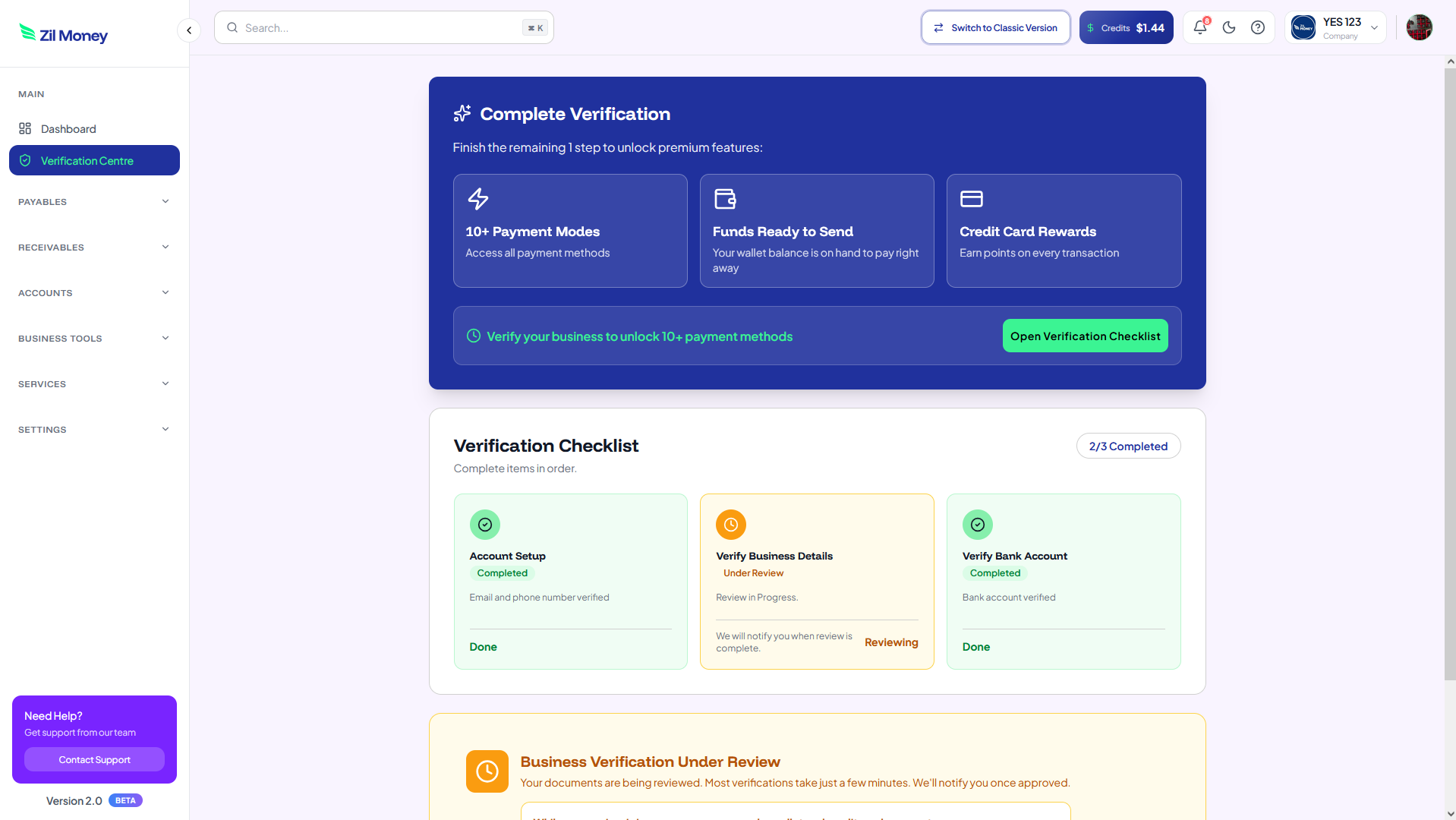
The new design has a cleaner layout, reorganized menus, and the tools you reach for most sitting right up front. We rebuilt the navigation so going from a blank payment to a sent one means fewer clicks, and the steps are easier to find. Less clutter, less hunting through menus, and more room to focus on the task in front of you.
Streamlined Payment Workflows
We looked at the things you do every day – adding a payee, scheduling a transfer, sending a batch of payments – and trimmed the extra steps out of them. Each flow now runs in one straight line from start to finish, so you always know what the next step is. Fewer clicks to get the job done, whether you are paying one vendor or a hundred.
A Clearer Dashboard and Better Reporting
Your new home dashboard puts what matters on one screen: your balances, your recent activity, and the payments still waiting on you. A single search box finds a past transaction by payee, amount, or date, so you are not filtering through menus to track one payment down. The reporting has been refreshed to help you read your cash flow at a glance.
Your Account Comes With You
Switching to 2.0 does not move or reset anything. You sign in the same way, with the same security you use today. Your saved payees, scheduled and recurring payments, approval steps, linked bank accounts, and accounting integrations all carry over. Zil Money 2.0 runs on your real, live account – a payment you send in the new version is a real payment, and it shows up whether you are on 2.0 or the current version. Prefer the old look for now? Switch back whenever you like, and what you set up stays put.
How to Try Zil Money 2.0 (Beta)
Log in to your account – Sign in to Zil Money the way you always do.
Turn on the new version – Use the version switch in the top bar to open the new 2.0 experience.
Explore the redesign – Move through the new dashboard, menus, and payment flows at your own pace.
Switch back anytime – Want the classic view back? Click Switch to Classic Version in the top bar, and what you set up stays put.
It Is a Beta, So Tell Us What You Think
Zil Money 2.0 is a beta, so a few things will still change. We are putting it in front of real businesses to learn what works and what does not. If something feels off, or you have an idea that would make your day easier, send it our way. Your feedback during the beta helps shape the final version.
Ready to see it for yourself? Log in, flip the switch, and tell us what you think of the new Zil Money.
New to Zil Money? Create an account to get started.