
SAP payroll for more than one company.
Run payroll for several companies in SAP? Pay each payroll run in ZIL MONEY, and pick any company from the list on the left. A 2.9% credit card fee applies.
- Pay SAP payroll for each company
- Switch companies in one list
- Use a credit card when cash is low
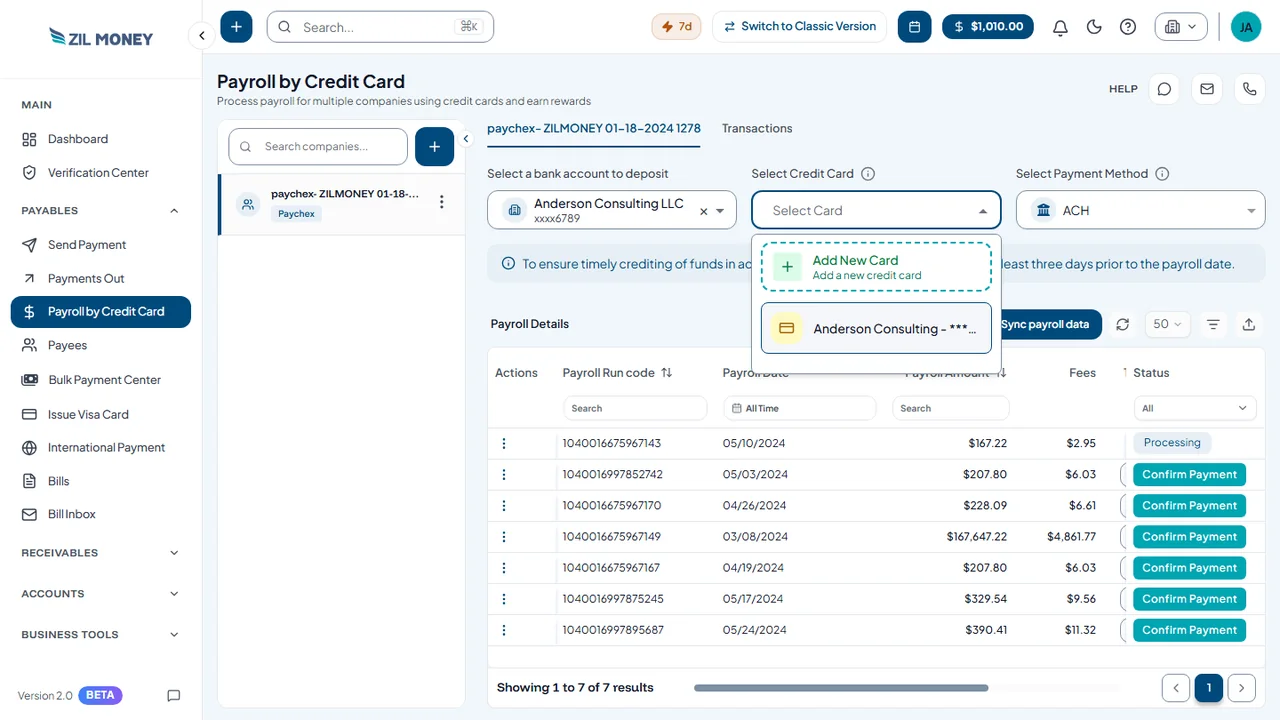 Choose the account, card, and method
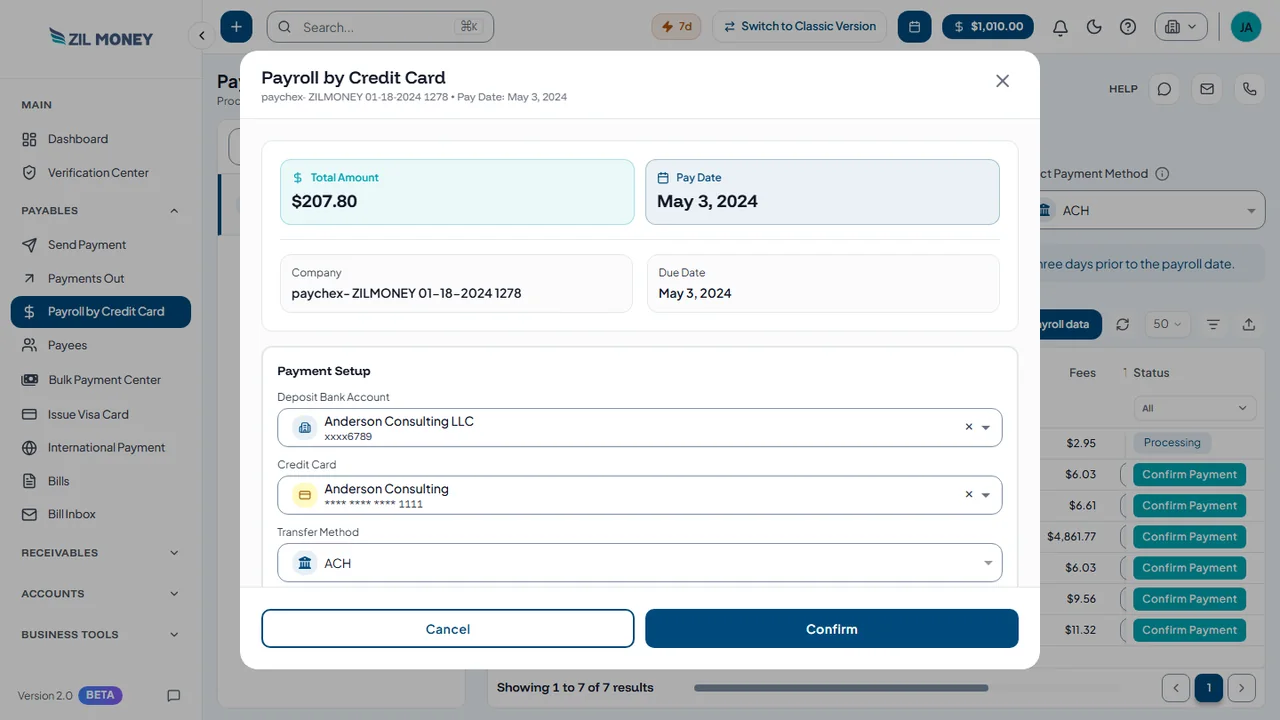 Confirm the payroll run
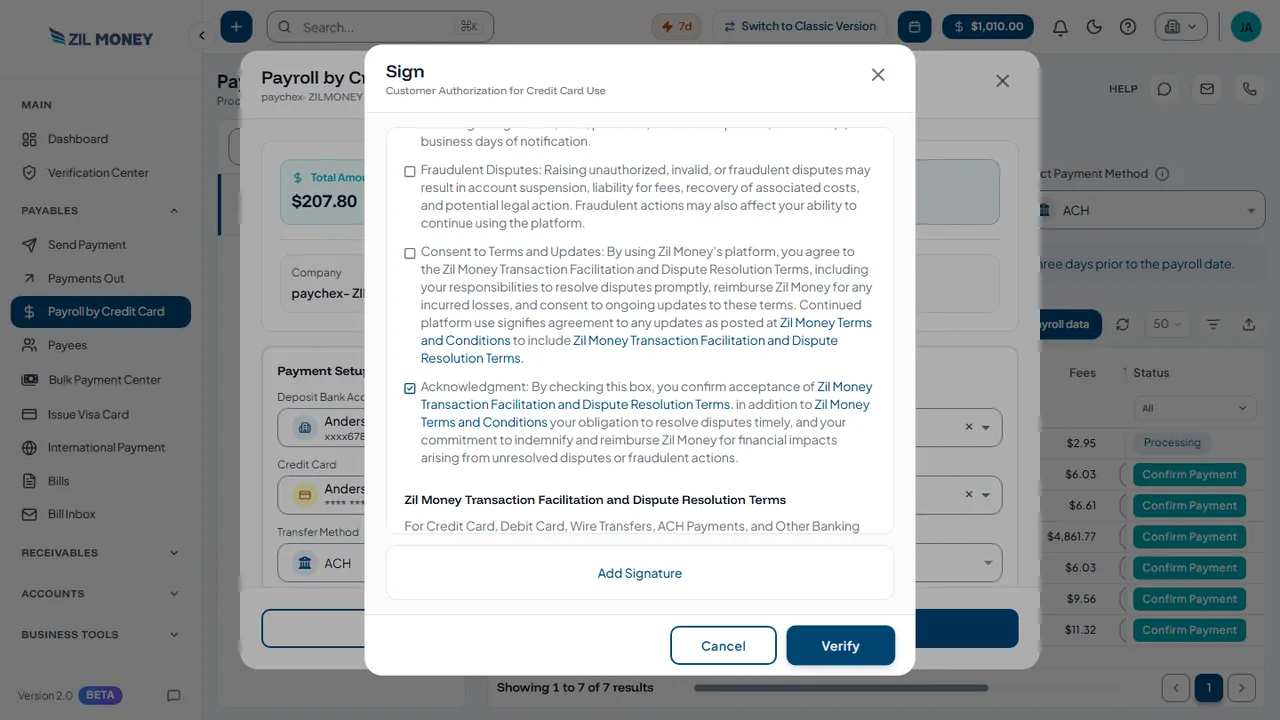 Review and sign
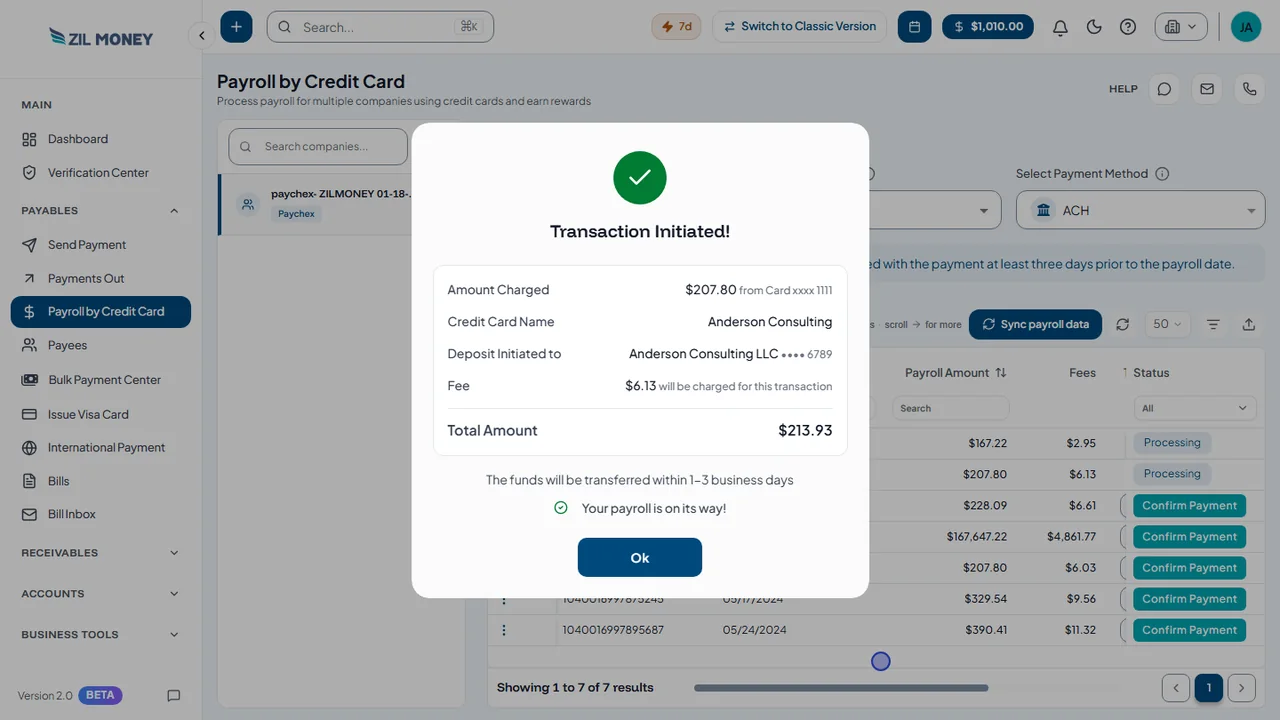 Transaction initiated










Many companies, one page.
Each company has its own payroll tab.
How much can paying by card earn you?
Keep every entity payroll in view.
Pay one company, then the next.
Confirm the run
The window names the company and shows the total amount, pay date, and due date.
Transaction initiated
Each payment ends with a summary of the charge, the deposit, the fee, and the total.
Pick a company
Choose a company on the left to see its payroll runs.
Read the status
Runs show Processing, or a Confirm Payment button if waiting.
Keep your books in sync
Works with QuickBooks, Xero, Zoho, and other accounting tools.
Works with the tools you already use.
Connect your accounting tools and more. See all integrations












Several entities mean several payrolls.
Here is what gets in the way of payroll, and how ZIL MONEY helps.
Each company has its own payroll.
Pay them one by one. Select a company, then confirm its runs the same way.
I cannot see all companies together.
Use the list. Every company sits in the list on the left.
Reserves are low at pay time.
Choose a credit card. The card pays the payroll amount.
I need to review before I pay.
Read the window. The confirm window shows the company, amount, and Payment Setup.
Finance wants the payments in the books.
Sync accounting. ZIL MONEY works with QuickBooks, Xero, and Zoho.
I am not always at my desk.
Use your phone or tablet. Do it from anywhere.
Four steps for each SAP payroll.
Repeat for each company.
Pick the company
Select it on the left, then press Sync payroll data.
Pick the account and card
Select the deposit bank account and the credit card.
Confirm Payment
Click Confirm Payment on the run and confirm.
Sign
Review the authorization, sign, and see Transaction Initiated.
Easy to learn. Quick to help.
In their own words, from businesses that use ZIL MONEY.

“Working with ZIL MONEY has been such a great experience.”
We use their platform to create and send eChecks to multiple parties, and it’s been incredibly smooth and efficient. Anytime we have a question or run into an issue, their team is quick to respond and always helpful.

“ZIL MONEY has been a game-changer for our business!”
Their payment support is top-notch, quick, reliable, and always ready to assist with any questions we have.

“The most helpful part is that ZIL MONEY can be used by everyone.”
It’s very easy to navigate. The user interface is very easy to learn. It solves the problem of having various accounting software separately and unable to integrate.
Common questions
Can I pay SAP payroll by credit card?
What is the credit card fee?
Does ZIL MONEY work for SAP payroll across several companies?
Does ZIL MONEY sync with SAP?
What if cash is low when SAP payroll is due?
How do I tell my company payrolls apart?
Does it work with QuickBooks?
Is it safe to use?
Pay SAP payroll for every company.
Open an account, or book a short demo and we will show you around. A 2.9% credit card fee applies to credit card payments.
Have a question? Talk to our team
Recent Comments