











 ChatGPT
 Claude
 Grok
 Perplexity
 Gemini
Quick answer: To issue a refund by eCheck, confirm the customer paid by check, cash, or bank transfer, wait until that payment has fully cleared, then send a new payment from Send Payment with the original invoice number in the memo. If the customer paid by card, refund to the same card through your card processor instead.
Updated November 24, 2026
A refund by eCheck is a new payment you send to the customer. It does not reverse the payment they made, and it is not the right tool for every refund. Here is when an eCheck refund fits, what to check first, the steps in ZIL MONEY, and the refund requests that are really scams.
Key Takeaways
When a Refund by eCheck Fits
| How the customer paid | How to refund |
|---|---|
| Paper check | Refund by eCheck or mailed check, after their check has fully cleared |
| Cash | Refund by eCheck or mailed check |
| Bank transfer or ACH | Refund by eCheck or bank transfer after the payment has settled. An ACH debit you pulled from a consumer account can still be returned as unauthorized for up to 60 days, so confirm you have the customer’s authorization on file first |
| Credit or debit card | Refund to the same card through your card processor, not by check |
Card refunds go back to the card because card network and processor rules generally require it. A check refund on a card sale can end in a chargeback on top of a cashed check, and it is a common way to cash out a stolen card.
Check These Three Things Before You Refund
- The original payment has fully cleared. Money showing as available does not always mean a check is final; ask your bank if you are unsure.
- The refund amount matches your records. Check the invoice, any partial refunds already sent, and your refund policy.
- The address is confirmed. Send only to the email or mobile number on the customer’s account, or one they confirmed when you called the phone number already on file.
How to Send a Refund by eCheck in ZIL MONEY
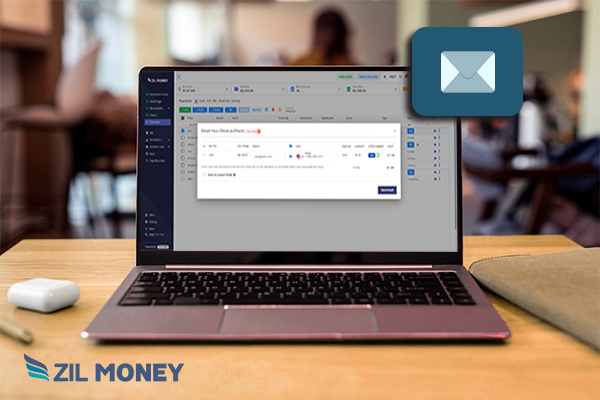
- Open Send Payment and enter the refund amount.
- Pick the customer from your saved payees, or add them.
- Choose “Email the check (eCheck)” or “Text the check (SMS).”
- Choose the bank account, pick Check as the method, and put “Refund” and the original invoice number in the memo.
- Send it, then follow its status in Payments Out.
Your customer’s next steps depend on how they want to be paid. If they deposit it as a check, their own bank’s hold rules apply.
What to Record on Every Refund
- The original invoice or order number, and how the customer paid.
- The refund amount, date, and reason.
- The refund’s reference in Payments Out, and when it cleared.
ZIL MONEY works with QuickBooks, Xero, Zoho, and other accounting tools. Record the refund against the customer and the original sale (for example as a refund receipt or credit memo), not as an expense, so revenue and sales tax are reduced correctly.
Refund Requests That Are Scams
A common trick: someone overpays with a check, then asks you to refund the difference before their check bounces. The FTC warns that money showing in your account does not prove a check is good (FTC). Never refund an overpayment until the original payment is final, and refund only to the person who paid, never to a new account, address, or payment method they suddenly ask for. Another version: a purchase with a stolen card, followed by a request for a refund by check or to a different account. Refund only to the original card.
If the Refund Is Not Cashed
Check Payments Out for refunds that were never viewed, and contact the customer. Uncashed refunds generally become unclaimed property after a period set by the customer’s state. You then report the money to the state and pay it over, so do not write it back to income.
Send Your Next Refund From One Screen
Enter the amount, add the invoice number, and send. Your records will match the original sale.
Questions About eCheck Refunds
Can I refund a customer by eCheck?
Yes, when they paid by check, cash, or bank transfer. Send a new payment from Send Payment with the original invoice number in the memo.
Can I refund a card payment by eCheck?
Generally no. Refund card payments to the same card through your card processor.
When should I send the refund?
After the original payment has fully cleared. Refunding earlier risks paying out money that later bounces.
Is a refund by eCheck a reversal?
No. It is a new payment to the customer. The original payment stays in your records.
What should the memo say?
“Refund” and the original invoice or order number.
What if I sent a refund to the wrong address?
Ask your bank about a stop payment on that check as soon as you can, and let the ZIL MONEY team know, before you send a new one.
Zil Money is a financial technology company, not a bank. Banking and money movement services are provided through partner financial institutions and licensed service providers. FDIC insurance coverage applies only to eligible deposit products and accounts, and is subject to applicable terms, conditions, limitations, and requirements. Additional information regarding partner institutions, products, and services is available in the applicable terms and agreements.