










 ChatGPT
  Claude
  Grok
Grok  Perplexity
  Gemini
 Quick answer: A Savannah photography studio gets paid with a credit card by sending two separate requests: a payment request for the deposit at booking, and a branded invoice for the balance after delivery. Both run through Zil Money’s receivables tools. The card fee is shown before the client confirms, and both payments land in one Wallet.
Key Takeaways
What Does Getting Paid With a Credit Card Actually Look Like for a Savannah Photography Studio?
1. Request the deposit at booking · 2. Shoot the session · 3. Invoice the balance the same day the gallery goes out
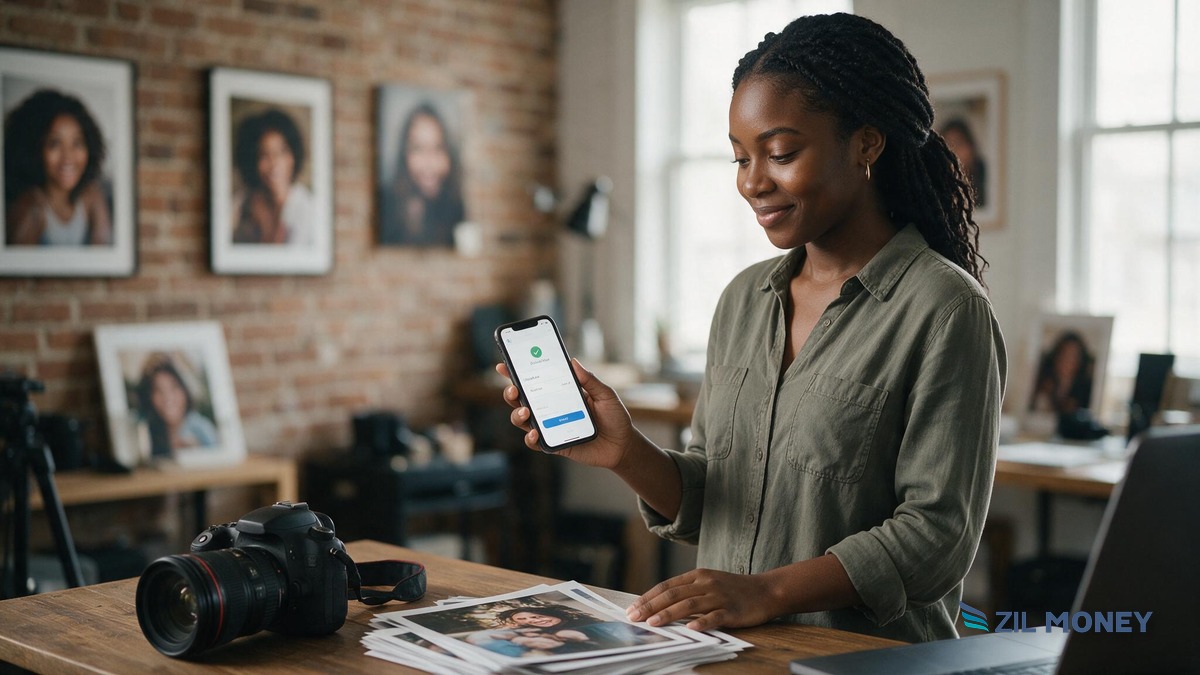
A one-person photography studio in Savannah is not running a checkout counter. Booking happens by text. The shoot happens on location, at Forsyth Park or a client’s home. Payment has to move around that, not through a register.
That is why splitting the payment into two events, a deposit and a balance, fits better than one invoice trying to do both jobs. The deposit locks the date and covers the studio’s time if a client cancels late. The balance gets billed once the client has seen the gallery and has every reason to pay it. Here is how the two events line up:
| Payment event | When it’s sent | What the client sees |
|---|---|---|
| Session deposit | At booking, before the date is confirmed | A payment request link by text or email, fee shown before confirming |
| Final balance | The day the finished gallery is delivered | A branded invoice with a Pay Now button, or a one-time payment link |
Both events route to the same place once they clear, the studio’s Zil Money Wallet, tracked through the same receivables dashboard, so there is one balance to check, not a deposit sitting in one app and a balance in another.
How Do You Send a Client a Payment Request for a Session Deposit?
At booking, the studio sends a payment request for the deposit amount through Zil Money’s payment request tool, built for the way freelancers and consultants get paid. The client gets one link they can act on from a phone, with no app download and no account signup required.
The client taps the link, enters their card, and sees the transaction fee before confirming. Once they confirm, the deposit is done.
How Do You Invoice the Final Balance After the Shoot?
Once the gallery is edited and delivered, the studio sends a second, separate charge: a branded invoice with a Pay Now button through invoice management, or a one-time payment link if the studio would rather text a link than generate a formal invoice document. Either way, the client sees the studio’s own name on the request, not a generic payment app notification that looks like it could be from anyone.
A Worked Example: One Savannah Portrait Session, Start to Finish
Here is an illustrative walkthrough of a deposit-then-balance booking, one payment request at booking and one invoice at delivery, for a single client. The dollar amounts are examples only, not a quoted price or a fee figure from Zil Money.
- A client books a family portrait session for a Saturday morning at Forsyth Park and is sent a payment request for a deposit, say $200, to hold the date.
- The client pays the deposit from their phone. The transaction fee is shown on screen before they confirm, and the $200 clears to the studio’s Zil Money Wallet, separate from anything else owed.
- The shoot happens as scheduled. The deposit already covered the studio’s time, so a late cancellation before this point still left the studio with something for the booking, not nothing.
- The gallery is edited and delivered. The same day, the studio sends a branded invoice for the remaining balance, say $650, with a Pay Now button.
- The client pays the balance by card, the fee is disclosed before they confirm, and the $650 clears to the same wallet as the deposit.
- The studio now has two separate, dated records, a paid deposit and a paid balance, instead of one invoice marked “paid” that does not show when each part cleared.
How Does This Compare to a Generic Payment Processor?
A standalone card processor can take a swipe or a tap, but a service business collecting a deposit now and a balance later needs more than a checkout button. Here is where the two approaches differ for a studio’s workflow:
| Question | Zil Money receivables | A generic standalone processor |
|---|---|---|
| Is invoicing built in, or a separate app? | Built in, alongside payment requests and payment links | Often a separate tool or add-on |
| Can a deposit and balance stay as two tracked records? | Yes, as two separate requests | Varies by processor |
| Is the fee shown before the client confirms? | Yes, disclosed before accepting payment | Varies by processor |
| Where do funds land? | The studio’s own Zil Money Wallet | Varies, sometimes an external-only account |
Most processors can take a card. The real question is whether the deposit-then-balance pattern a service business runs on is a native part of the workflow, or something bolted on after the fact.
See How Payment Requests and Invoices Work Together
Send a deposit request at booking and a branded invoice at delivery, both from one dashboard, with the fee shown before your client ever confirms.
Is a Client’s Card Information Safe?
The card number is never typed into the studio’s own email, text thread, or a spreadsheet of client details. A client enters their card directly on a hosted payment page, the connection is protected with 256-bit encryption, and the platform is PCI DSS compliant, the payment card industry’s own data-security standard maintained by the PCI Security Standards Council. Fraud monitoring and multi-factor authentication run in the background on the account side, so a one-person studio is not building card security from nothing.
What Mistakes Make Deposit Collection Harder for a Photography Studio?
- Sending one combined invoice for the deposit and the balance. It looks simpler at first, but it makes bookkeeping harder later, since there is no separate record of what was collected at booking versus at delivery.
- Not disclosing the card fee before the deposit is charged. A client who is surprised by a fee at the balance stage may push back on the charge more than one who saw it upfront on the deposit.
- Collecting the deposit through one channel and the balance through another. Splitting a personal payment app deposit and a Zil Money balance invoice, for example, breaks reconciliation and leaves two different places to check for what is owed.
- Having no written policy on what happens to the deposit if a client cancels. Without one written into the booking message, the studio negotiates the refund question from scratch every time. It also has nothing to point to if a client disputes the charge with their card issuer instead.
- Sending the balance invoice the same day as the shoot instead of at delivery. A client who has not seen the finished gallery yet has less reason to pay quickly than one who just opened it.
How Do You Set Up to Get Paid With a Credit Card as a Photography Studio?
- Decide the deposit amount and write a short cancellation policy to include in the booking message.
- Send a payment request for the deposit as soon as the date is confirmed, by text or email.
- Shoot the session once the deposit clears.
- Edit and deliver the gallery, then send a branded invoice or payment link for the remaining balance the same day.
- Check the Zil Money Wallet to confirm both the deposit and the balance have landed before marking the booking complete.
- Keep the deposit and balance as two separate records when reconciling books at the end of the month.
Frequently Asked Questions
What is the simplest way for a photography studio to start taking credit cards?
A payment request sent by text or email is the simplest starting point. It does not require a card terminal or a new point-of-sale system, and a client can pay a deposit from their phone before the studio ever meets them in person.
Does a studio need a card reader for on-location sessions?
No. A payment request or payment link lets a client pay from their own phone before or after the shoot, so a studio working on location at a park or a client’s home does not need a physical card reader.
Can a deposit and the final balance be billed separately?
Yes. A payment request works well for the deposit at booking, and a branded invoice or payment link works for the balance once the gallery is delivered, keeping the two as separate, dated records.
How much does it cost to accept a credit card payment?
There is no flat rate published for every business. Card networks set different costs for different card types, so Zil Money shows the actual transaction fee on screen before the client confirms, rather than quoting one number that would not be accurate for every card.
Where does the money go after a client pays?
Cleared payments land in the studio’s Zil Money Wallet, whether the charge was a deposit or a final balance, so both payment events settle to one place instead of two different apps.
What happens if a client’s card is declined?
The client sees the decline on their own screen and can try a different card on the same link, so a studio owner is not standing there trying to fix someone else’s card issue. The payment request or invoice stays open and unpaid until a card goes through.
How is a client’s card information kept secure?
A client enters their card on a hosted payment page protected by 256-bit encryption, on a platform that is PCI DSS compliant, rather than the card number being typed into the studio’s own email or files.
What happens if a client cancels after paying a deposit?
Whether the deposit itself is refundable is the studio’s own cancellation policy, not a rule the payment platform sets. Write the policy down and share it before sending the deposit request, not after a client asks, since it also gives the studio something concrete to point to if a client later disputes the charge with their card issuer.
A one-person photography studio does not need to build a checkout system to get paid by credit card. It needs two requests that fit the way the work happens: a deposit at booking, and a balance once the client has seen what they paid for.
Zil Money is a financial technology company, not a bank. Banking and money movement services are provided through partner financial institutions and licensed service providers. FDIC insurance coverage applies only to eligible deposit products and accounts, and is subject to applicable terms, conditions, limitations, and requirements. Additional information regarding partner institutions, products, and services is available in the applicable terms and agreements.