
Payroll is two jobs. Your provider prepares the run. A credit card can pay it.
You can use a credit card to pay a payroll run in ZIL MONEY. Find the run, choose your card, click Confirm Payment, and sign. A 2.9% credit card fee applies.
- Works with any payroll run in your list
- Your card pays the amount
- See the result in a final window
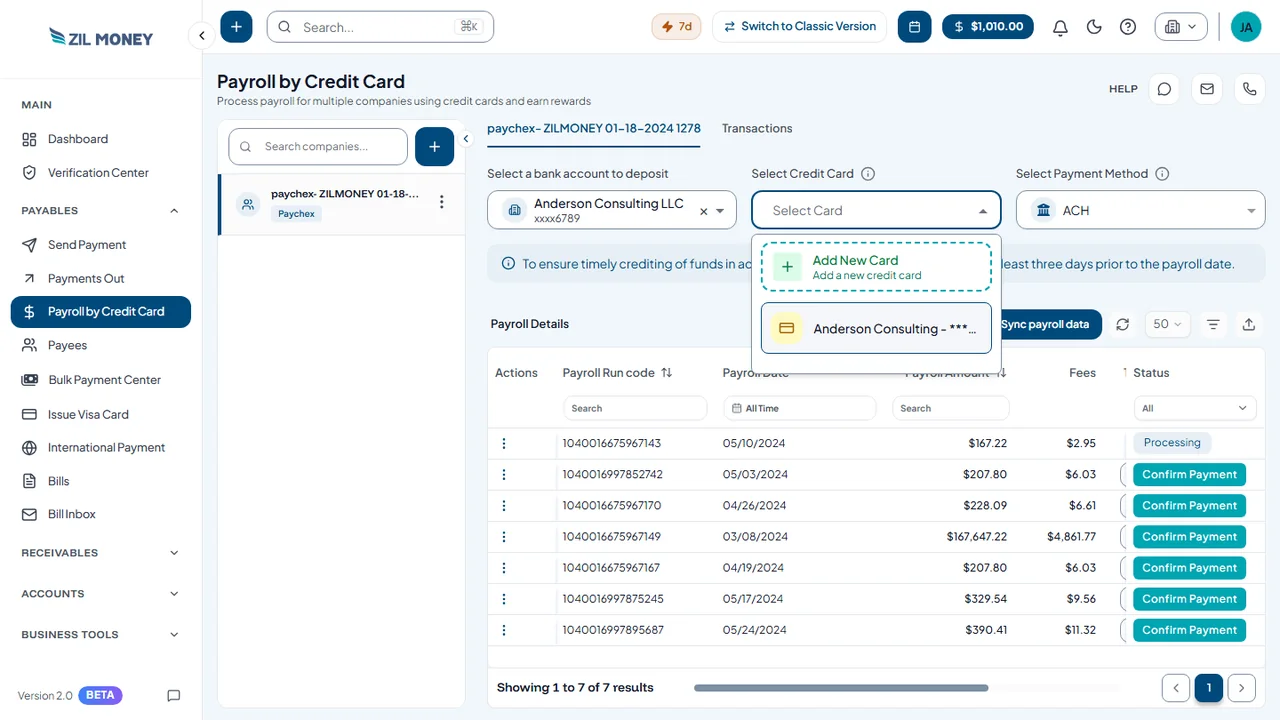 Choose the account, card, and method
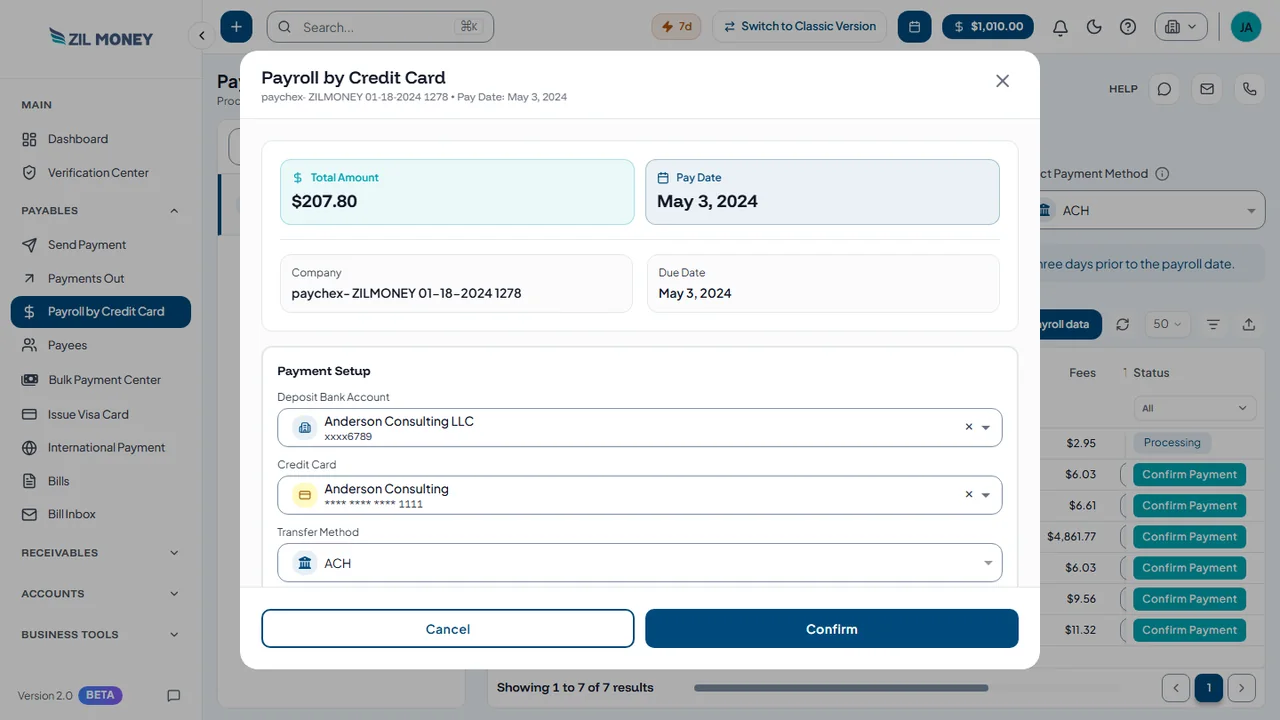 Confirm the payroll run
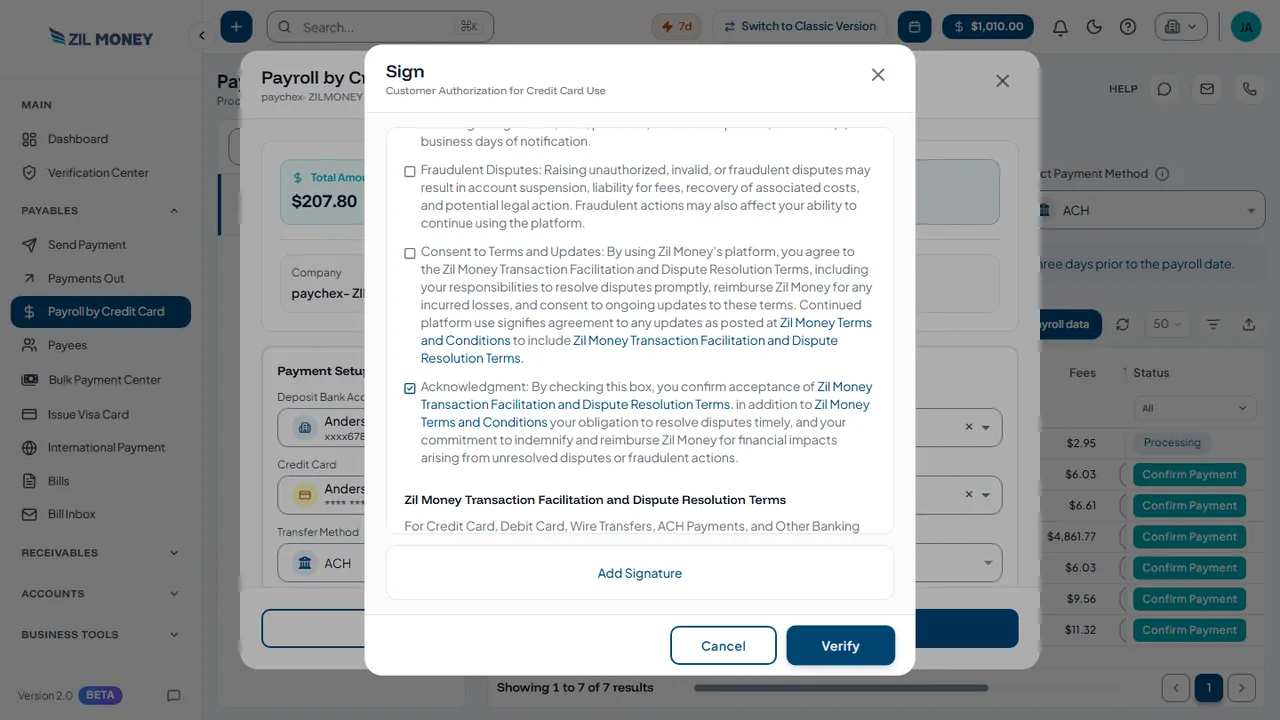 Review and sign
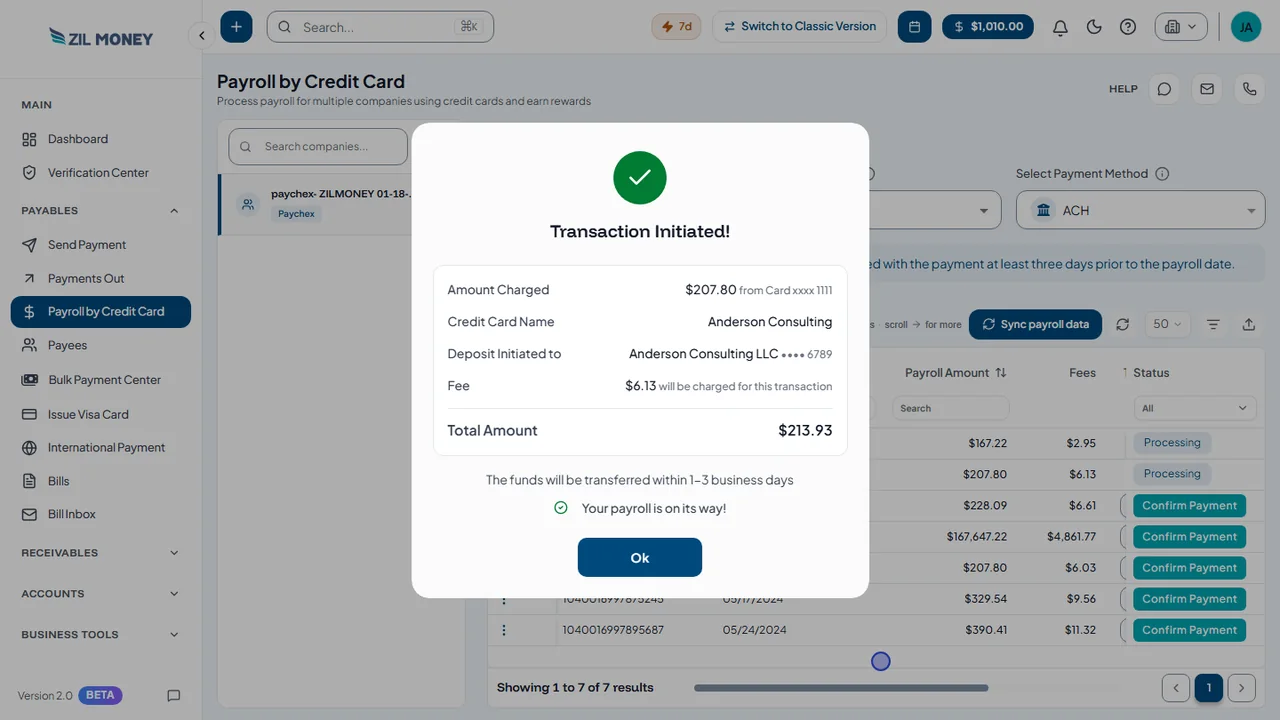 Transaction initiated








The simple version.
Payment Setup asks for three things.
How much can paying by card earn you?
Credit card payroll, step by step.
Run, setup, confirm, sign.
Confirm the payroll run
The window lists the total amount, pay date, company, and due date, plus your bank account, card, and transfer method.
Transaction Initiated
This final window shows what was charged, where the deposit goes, and the fee. The confirmation screen says funds are transferred within 1 to 3 business days.
Know the cost first
Each run shows its fee in the table.
Keep your books in sync
Works with QuickBooks, Xero, Zoho, and other accounting tools.
Works with the tools you already use.
Connect your accounting tools and more. See all integrations













Can you pay payroll with a card? Yes.
Here is what gets in the way at pay time, and how ZIL MONEY helps.
I did not know payroll could go on a card.
It can. Choose a credit card on the Payroll by Credit Card screen.
My payroll team prepares the run, not me.
Pay it here. ZIL MONEY pays the amount of a run in your list.
I do not know which account gets the money.
Select it. Pick the bank account to deposit at the top.
I want proof it went through.
Read the final window. Transaction Initiated shows what was charged and where it goes.
I do payroll for several businesses.
Keep one list. Payroll by Credit Card is built for multiple companies.
I may need to run payroll away from my desk.
Use your phone or tablet. The same steps work on any screen.
Pay payroll with a card.
These steps work for any payroll in your list.
Find the run
Select the company, click Sync payroll data, and read Payroll Details.
Set up the payment
Select the bank account, credit card, and payment method.
Confirm Payment
Review the confirm window and the authorization form.
Sign
Add your signature and verify. Then see Transaction Initiated.
Easy to learn. Quick to help.
In their own words, from businesses that use ZIL MONEY.

“Working with ZIL MONEY has been such a great experience.”
We use their platform to create and send eChecks to multiple parties, and it’s been incredibly smooth and efficient. Anytime we have a question or run into an issue, their team is quick to respond and always helpful.

“ZIL MONEY has been a game-changer for our business!”
Their payment support is top-notch, quick, reliable, and always ready to assist with any questions we have.

“The most helpful part is that ZIL MONEY can be used by everyone.”
It’s very easy to navigate. The user interface is very easy to learn. It solves the problem of having various accounting software separately and unable to integrate.
Common questions
Can I use a credit card to pay payroll?
What is the credit card fee?
What do I need before I start?
Does my payroll provider have to accept cards?
What do I choose when I pay payroll by card?
How do I see a payroll I already paid?
Does it work with QuickBooks?
Can I send payroll payments from my phone?
Put your next payroll on a card.
Open an account, or book a short demo and we will show you around. A 2.9% credit card fee applies to credit card payments.
Have a question? Talk to our team
Recent Comments