
QuickBooks payroll paid by credit card.
Prepare payroll the way you do now, then pay the run in ZIL MONEY with a credit card. ZIL MONEY works with QuickBooks to keep your books in sync. A 2.9% credit card fee applies.
- Keep QuickBooks as your accounting record
- Pay the payroll run by card
- Works with QuickBooks sync
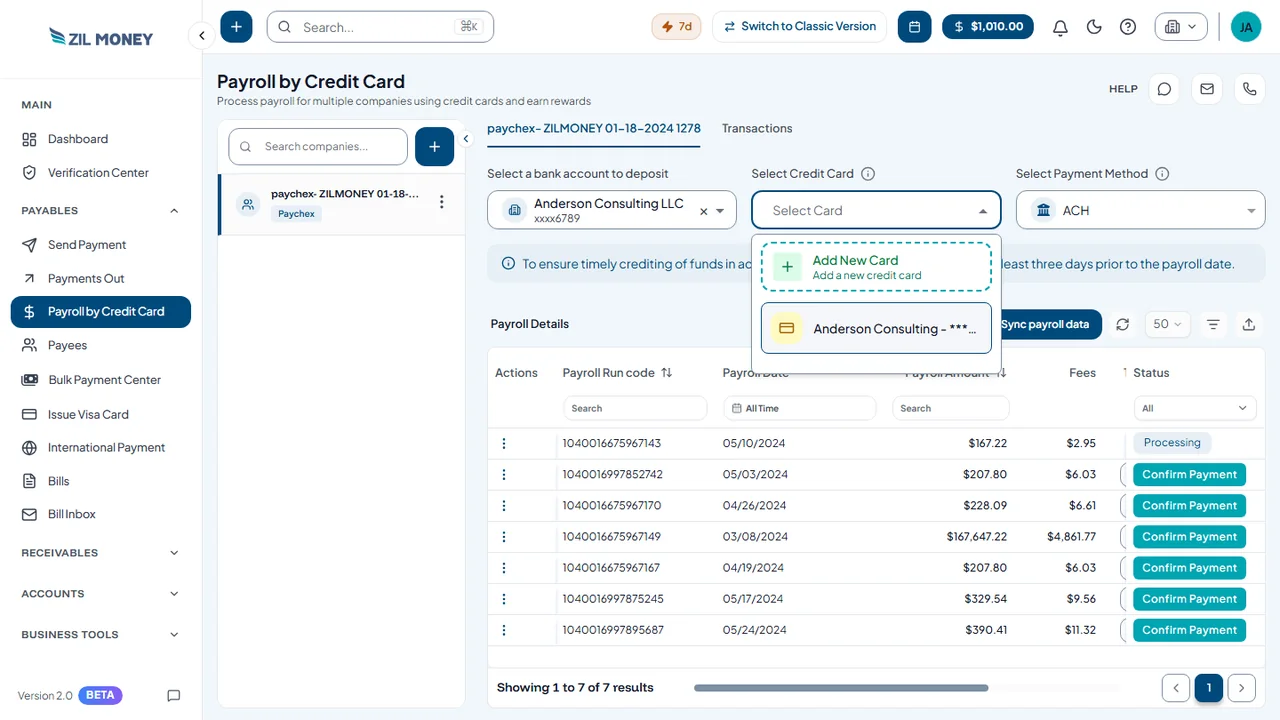 Choose the account, card, and method
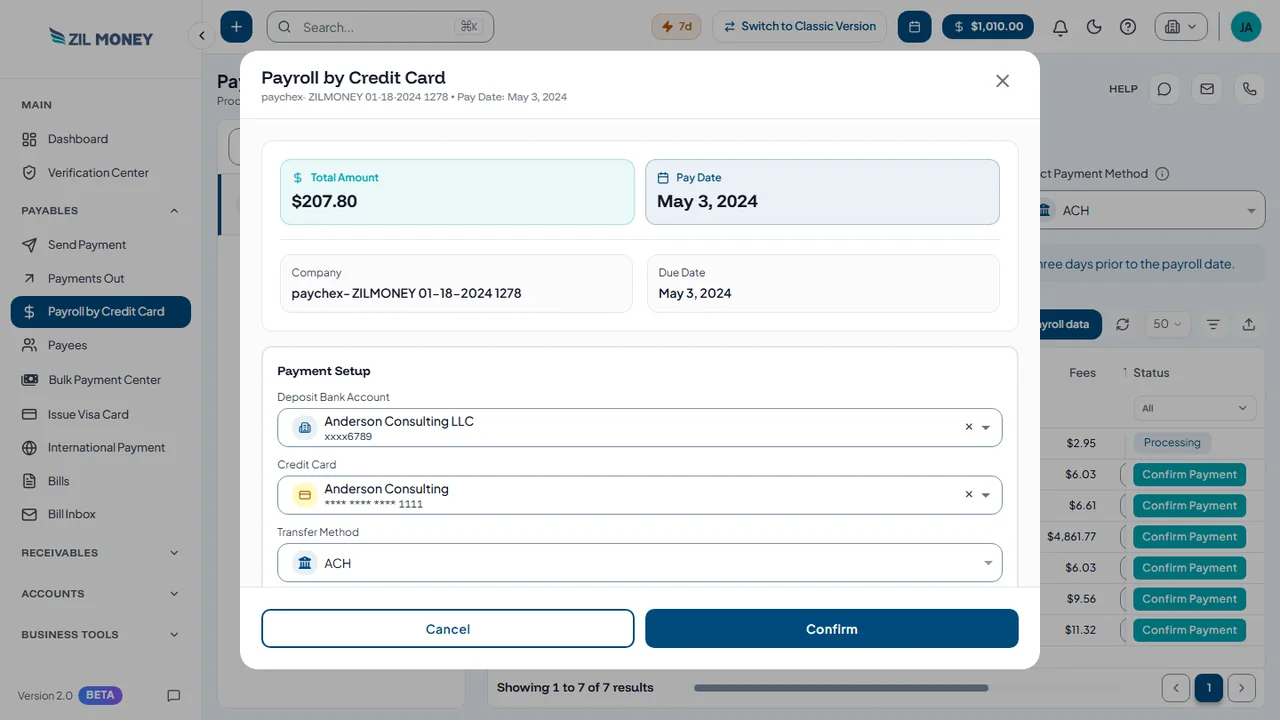 Confirm the payroll run
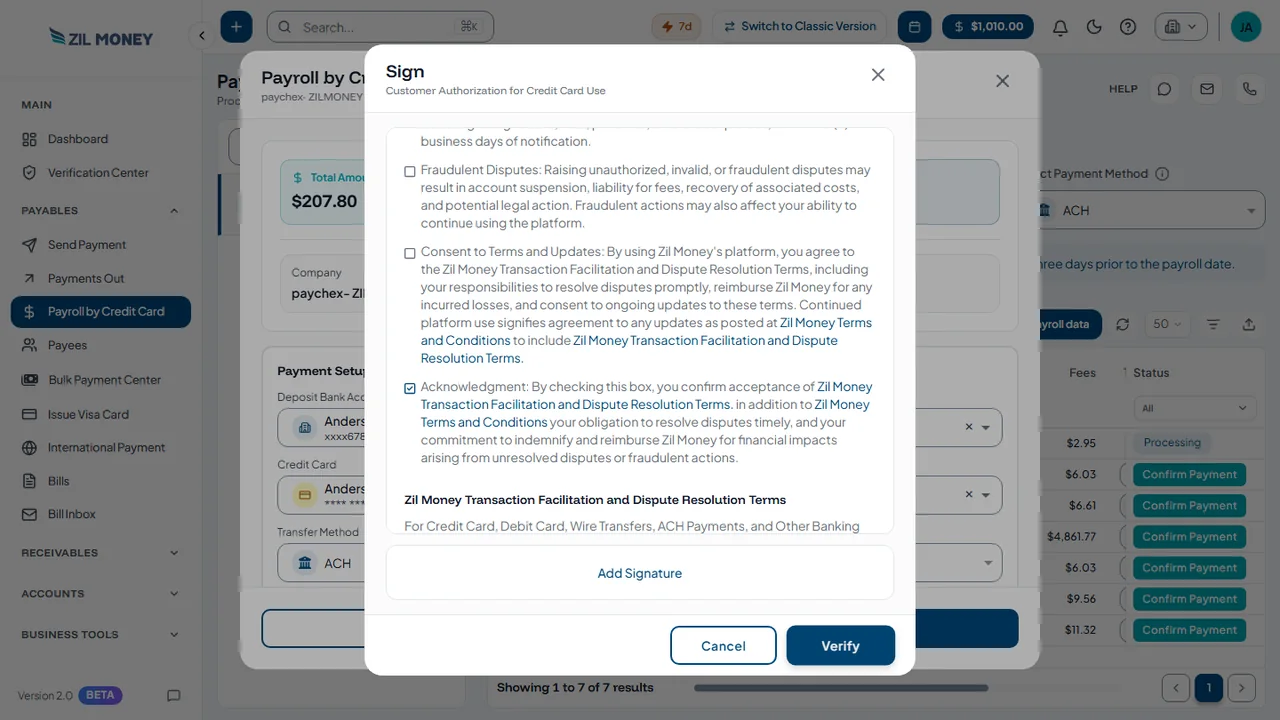 Review and sign
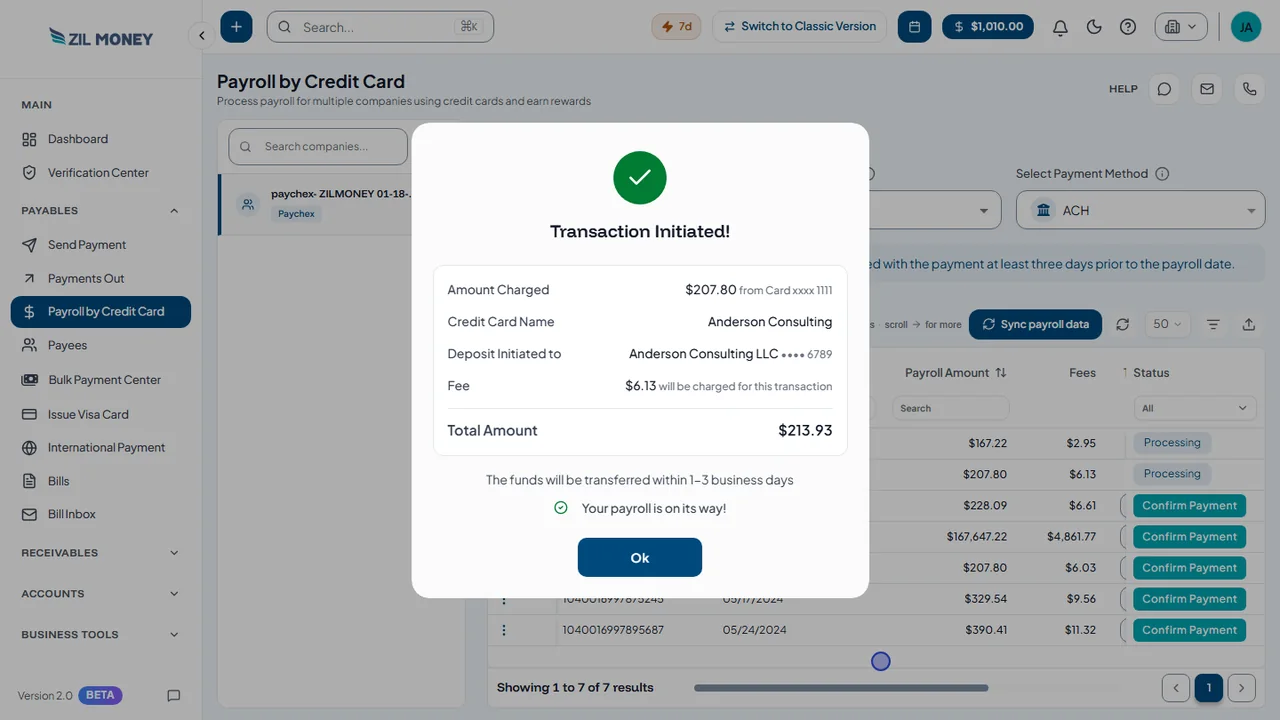 Transaction initiated








Your books and your payment.
Two sides of the same payroll.
QuickBooks records it. ZIL MONEY pays it.
Find the run. Confirm. Sign.
Confirm the payroll run
The window shows the total, pay date, company, and due date, then the account, card, and transfer method you picked.
Transaction Initiated
It lists the amount charged, the card, the deposit account, and the fee. The confirmation screen says funds are transferred within 1 to 3 business days.
Pay by card
Choose the credit card at the top of the screen.
Sync payroll data
Use the button above the table.
Keep your books in sync
Works with QuickBooks, Xero, Zoho, and other accounting tools.
Works with the tools you already use.
Connect your accounting tools and more. See all integrations














Books and payments drift apart at pay time.
Here is what gets in the way at pay time, and how ZIL MONEY helps.
My payroll is prepared but not paid.
Pay the run here. Find it in Payroll Details and click Confirm Payment.
I retype payroll details in more than one place.
Use the sync button. Sync payroll data brings the runs into your list.
I cannot tell which run I paid.
Look at the status. Runs show Processing, or Confirm Payment if they are waiting.
I want to see the cost first.
Read the Fees column. It shows the fee for each run before you confirm.
I want a record of payments.
Open Transactions. Each company has a Transactions tab.
I am not always at my desk.
Use your phone or tablet. Do it from anywhere.
QuickBooks to paid.
Your books stay your books.
Prepare payroll
Do it with your payroll team or provider, as you do now.
Sync the runs
Click Sync payroll data in ZIL MONEY.
Set up the payment
Select the bank account, credit card, and method, then click Confirm Payment.
Review and sign
Sign the authorization and see Transaction Initiated.
Easy to learn. Quick to help.
In their own words, from businesses that use ZIL MONEY.

“Working with ZIL MONEY has been such a great experience.”
We use their platform to create and send eChecks to multiple parties, and it’s been incredibly smooth and efficient. Anytime we have a question or run into an issue, their team is quick to respond and always helpful.

“ZIL MONEY has been a game-changer for our business!”
Their payment support is top-notch, quick, reliable, and always ready to assist with any questions we have.

“The most helpful part is that ZIL MONEY can be used by everyone.”
It’s very easy to navigate. The user interface is very easy to learn. It solves the problem of having various accounting software separately and unable to integrate.
Common questions
Can I pay QuickBooks payroll by credit card?
What is the credit card fee?
Does ZIL MONEY work with QuickBooks?
Does ZIL MONEY run QuickBooks payroll?
What is the Sync payroll data button?
How do I keep payroll records in order?
Is it safe to use?
Can I send QuickBooks payroll payments from my phone?
Pay your QuickBooks payroll by card.
Open an account, or book a short demo and we will show you around. A 2.9% credit card fee applies to credit card payments.
Have a question? Talk to our team
Recent Comments