

Trusted by Businesses Nationwide
$100B+
Transaction volume
1M+
Active businesses
99.9%
Uptime SLA
20M+
Checks Processed
How the Salesforce Integration Works
Set Up and Pay in Just a Few Steps
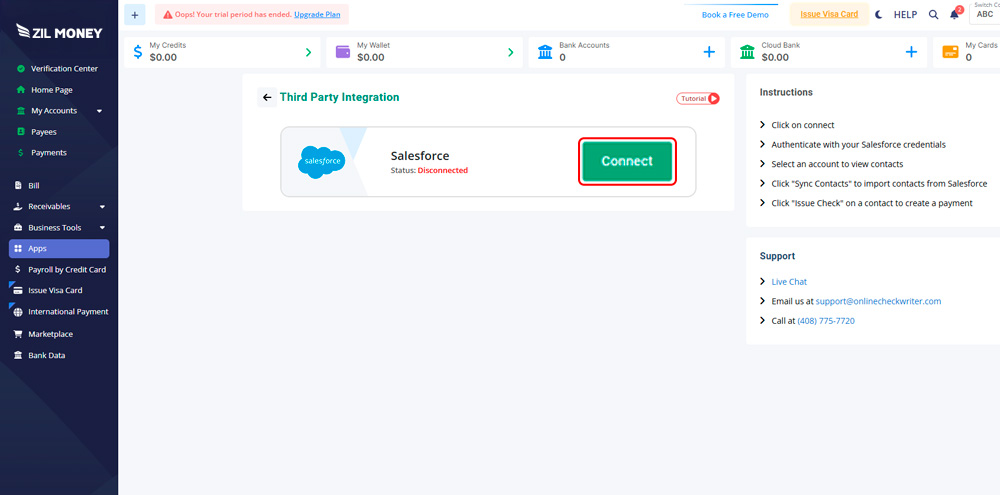
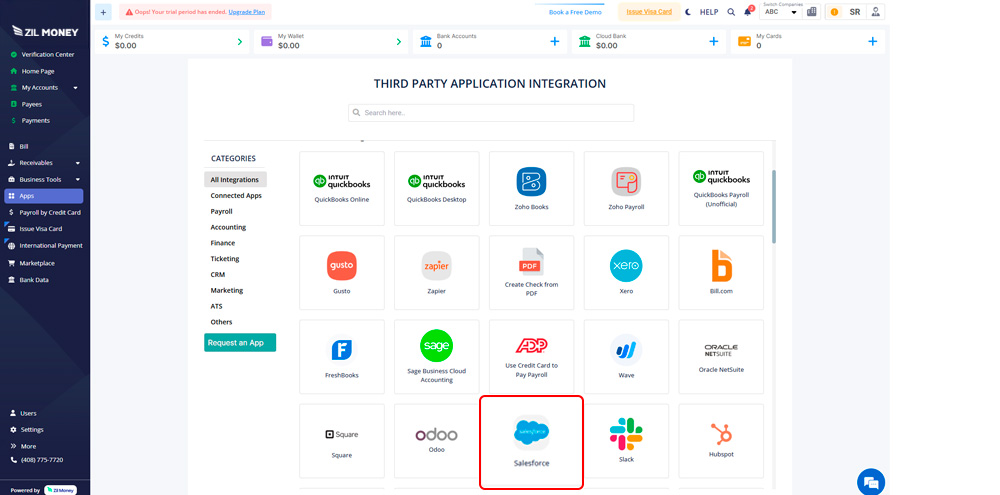
Step 1: Connect Salesforce
Link your Zil Money account to Salesforce using a quick, secure connection.

Step 2: Sign In Securely
Authenticate with your Salesforce login to allow access to contact data.
Step 2: Sign In Securely
Authenticate with your Salesforce login to allow access to contact data.
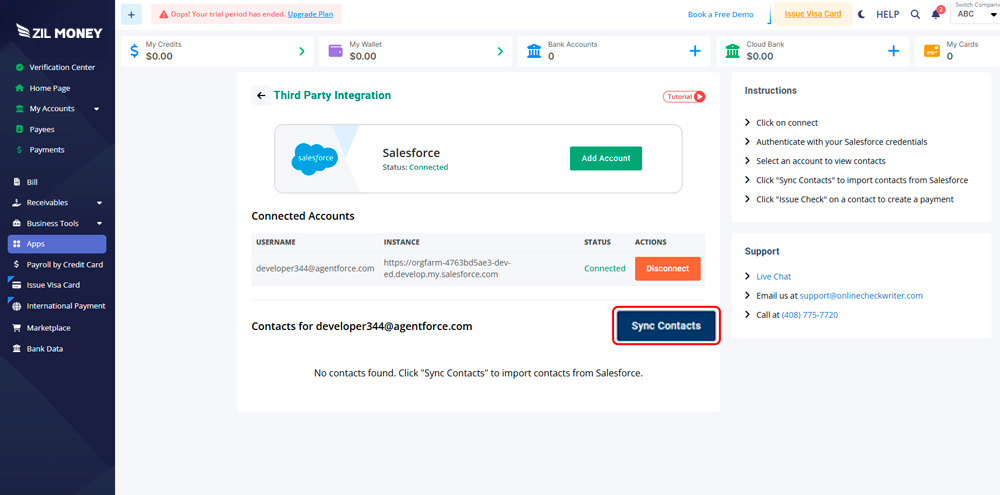
Step 3: Sync Contacts
Import contacts from Salesforce directly into Zil Money with one click.
Step 4: Issue a Check
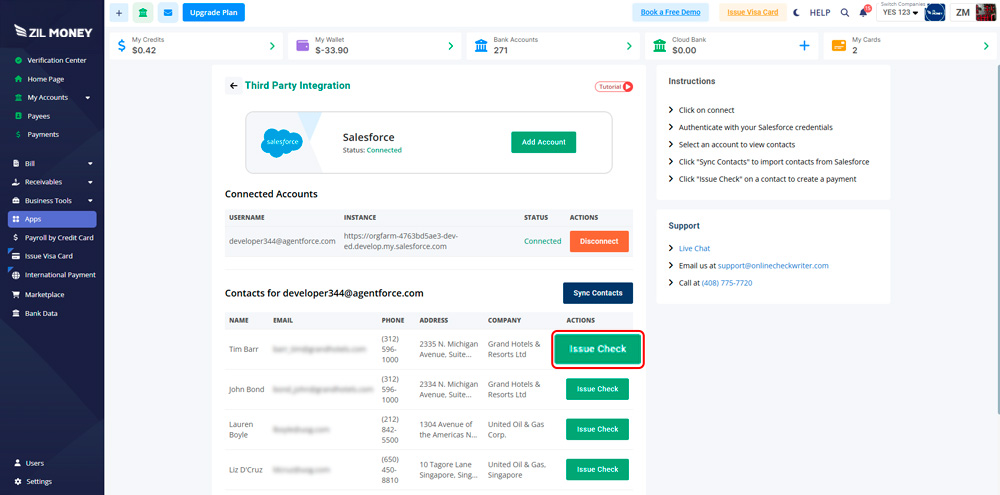
Click “Issue Check” to automatically create a payee and start the payment process.
Step 4: Issue a Check
Click “Issue Check” to automatically create a payee and start the payment process.
Step 5: Update Anytime
Change your Salesforce connection or sync settings whenever your team changes
You can resync contacts anytime to keep your records updated as your Salesforce data changes.
Keep CRM Data and Payments in Sync
This integration connects your CRM and payment workflow in one place. Contacts from Salesforce flow directly into Zil Money, payees are created automatically, and checks are issued without manual data entry. Teams stay in control of who gets paid, reduce errors, and manage payments from a single dashboard.
It’s a practical solution for finance teams, operations managers, and businesses that want cleaner data and faster payouts.

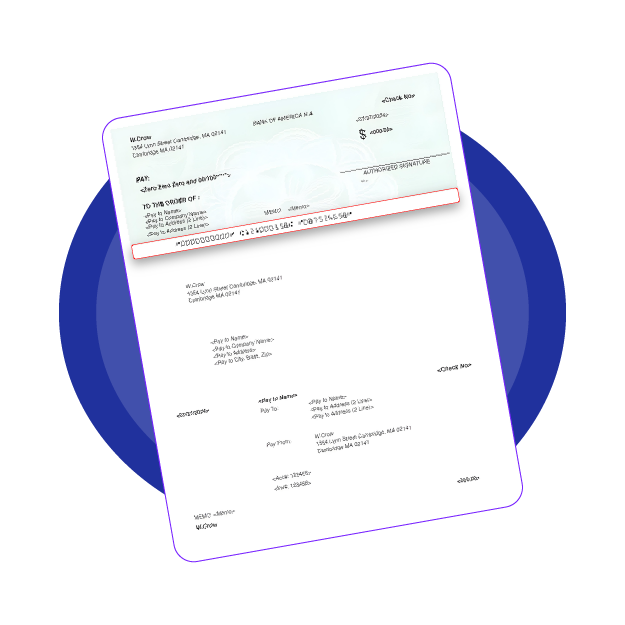
Key Benefits You’ll Notice
- Faster check creation
- Accurate payee records from Salesforce
- No duplicate or outdated contact data
- Less manual work for your team
Whether you’re paying vendors, contractors, or service partners, this automated check payment setup works for small teams and scales easily for larger organizations.
Ready to Pay Salesforce Contacts the Easy Way?
Connect Salesforce with Zil Money and start issuing checks in minutes. No complicated setup. No manual entry. Just a smoother way to manage check payments using the data you already trust.

Everything you need to know.
Common questions about professional check printing with Zil Money.
Yes. When you issue a check, the contact is automatically created as a payee in Zil Money.
Yes. You choose the Salesforce account and decide which contacts to sync.
Yes. You can update or resync contacts anytime to match changes in Salesforce.
Yes. After creating a check, you can print it or choose check-by-mail options.
Trusted by leaders
Join thousands of businesses that have transformed their payment operations.

Rachel Ruiz, Business Strategy Manager, Lennar Title
“Working with Zil Money has been such a great experience. We use their platform to create and send eChecks to multiple parties, and it’s been incredibly smooth and efficient. Anytime we have a question or run into an issue, their team is quick to respond and always helpful. They’ve consistently gone above and beyond to support our needs, and it’s made a real difference in our workflow. I highly recommend Zil Money to anyone looking for a reliable, attentive, and efficient vendor.”